True Digital Group
Transforming Thai agriculture through IoT integrated design

Overview
Toolkit
Miro, Figma
My roles
Product strategy, UX research, wireframing, prototype, user testing, UI design
Team
Product manager, marketing, UXUI designer, IoT specialist, product owner
Duration
March - July 2023 (4 months)
Challenge
The client envisioned a seamless, IoT-integrated platform to simplify farm management and reduce human error, empower farmers with automated tools for remote control.
Outcome
Within 4 months, we developed complete mobile and desktop platforms, enhancing farm management efficiency and significantly improving the farmer experience.
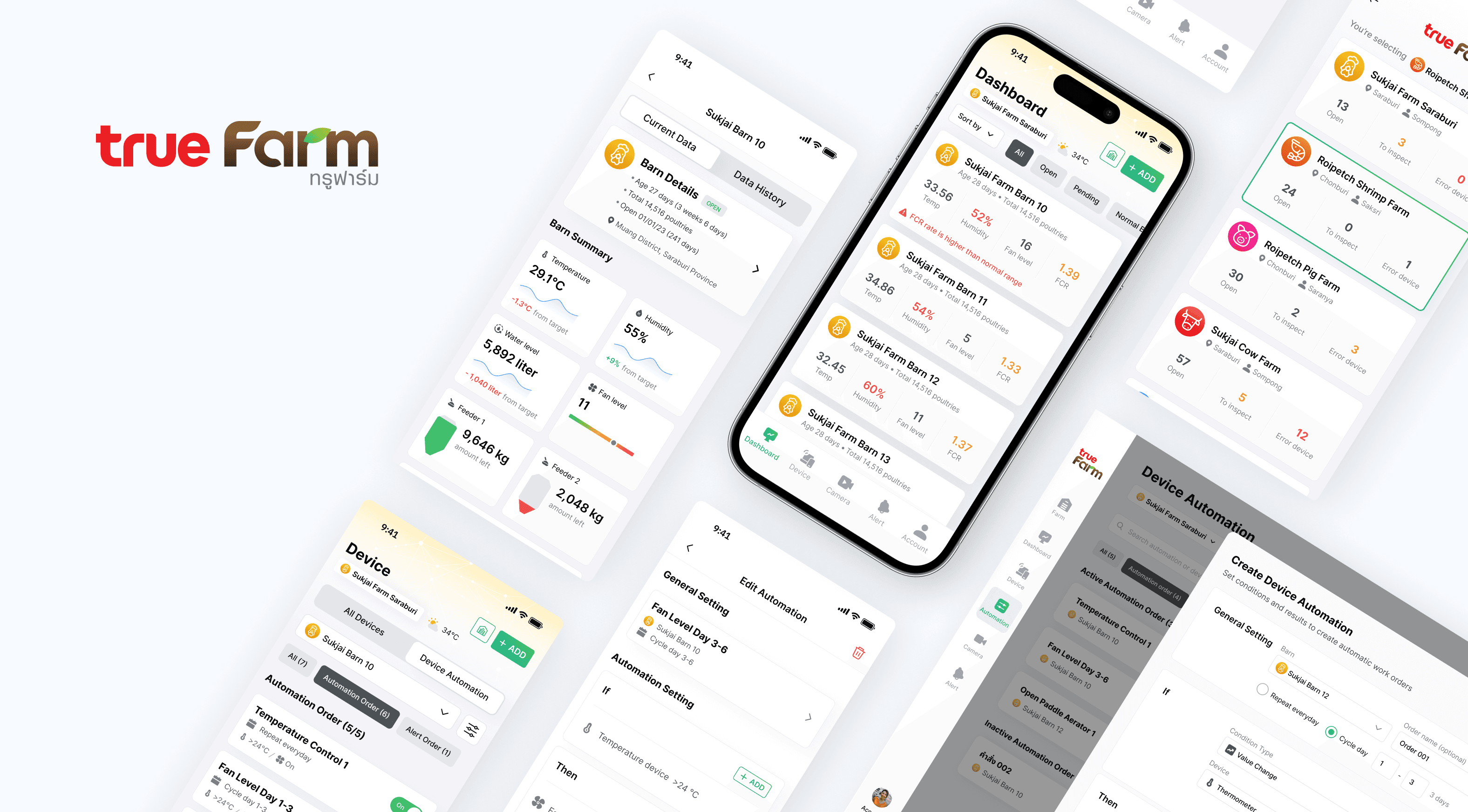
Smart integrated design
Manage IoT devices and create automated orders within a few clicks
Shaping the future of agriculture
Real-time monitoring and reduction of farm staff’s workload
Real farm users' interviews
Conducting regular user tests to validate design with on-site farmers
Design Process

Data-Driven Insights
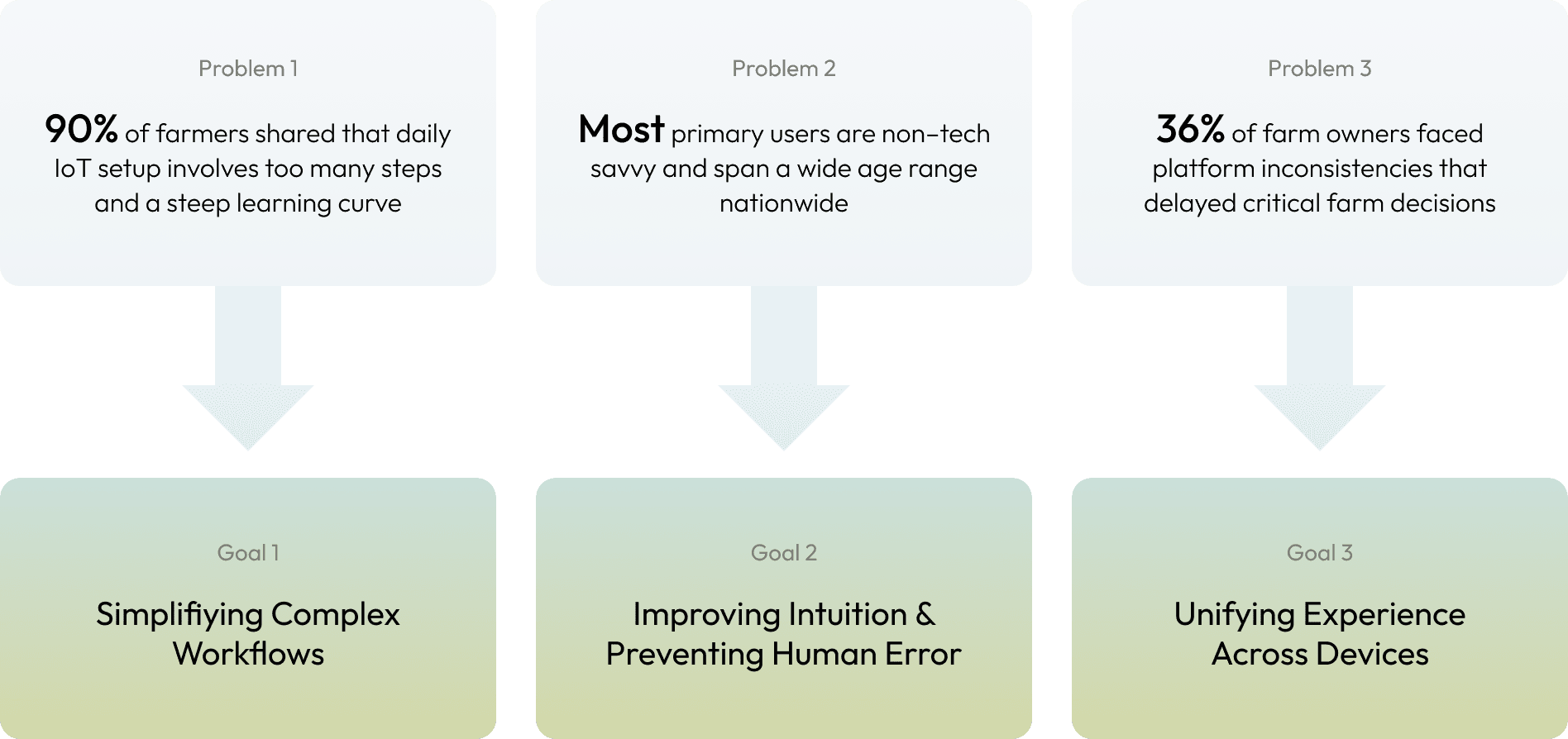
Gathering Information
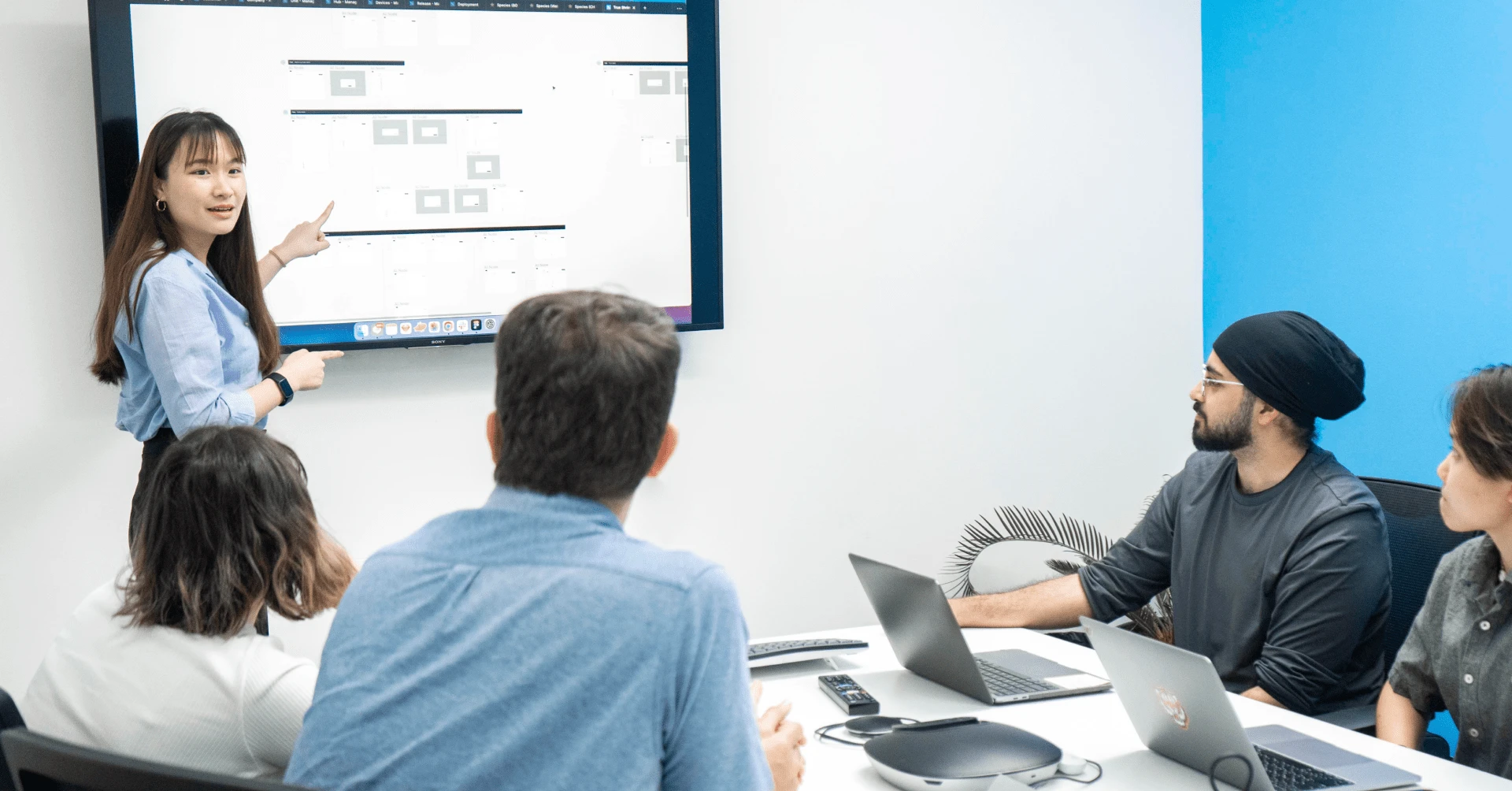
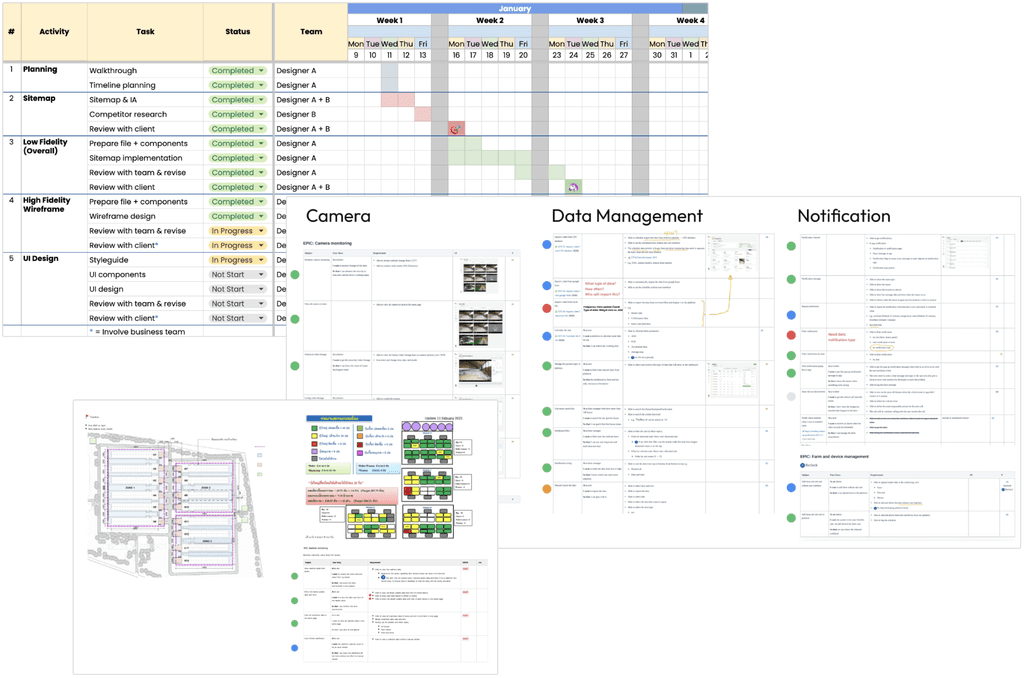
I started by conducting workshops with stakeholders, including clients, potential users, and project team members to identify their expectations, user needs, and business goals to help set a solid foundation for the UX process.
Defining Users
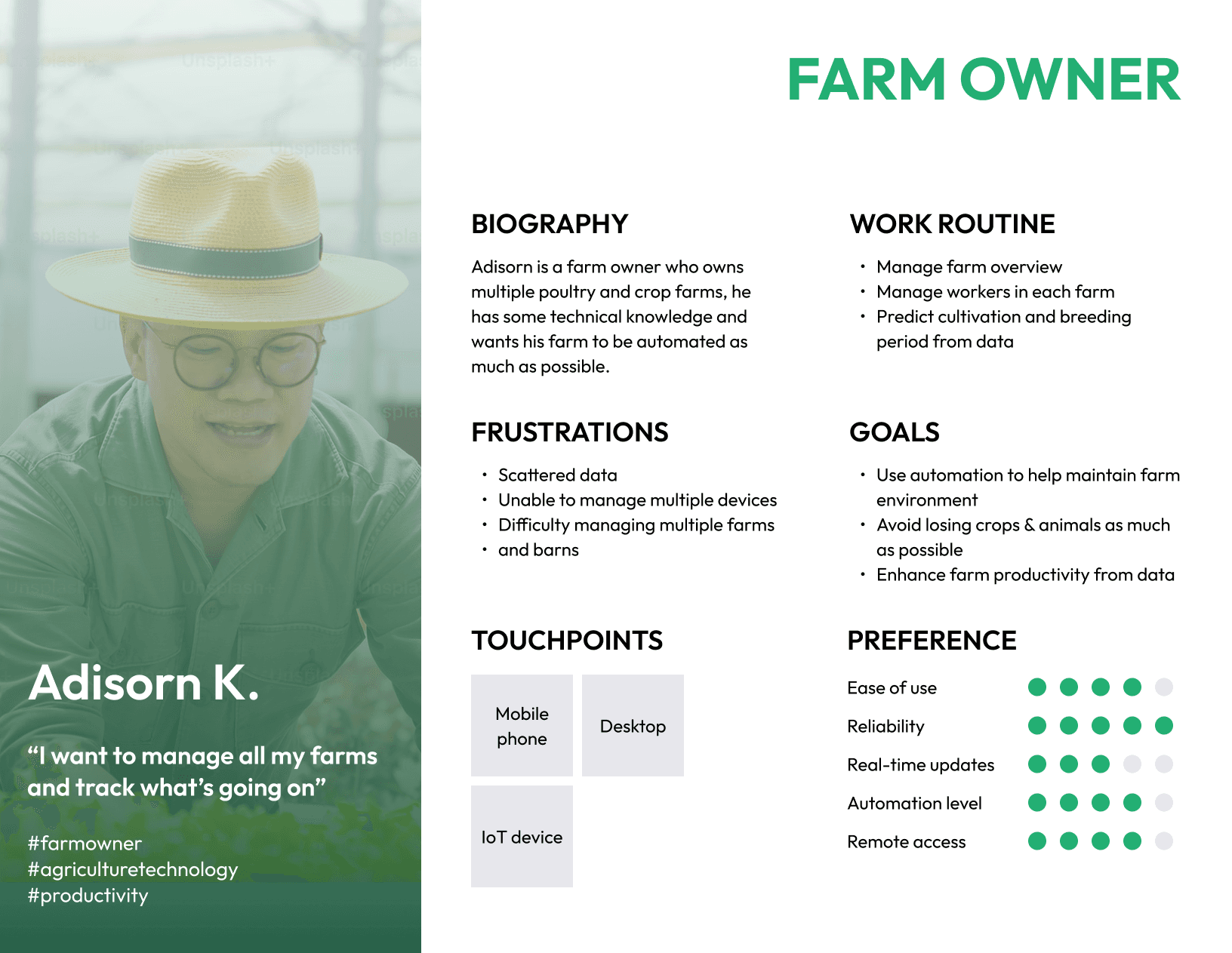
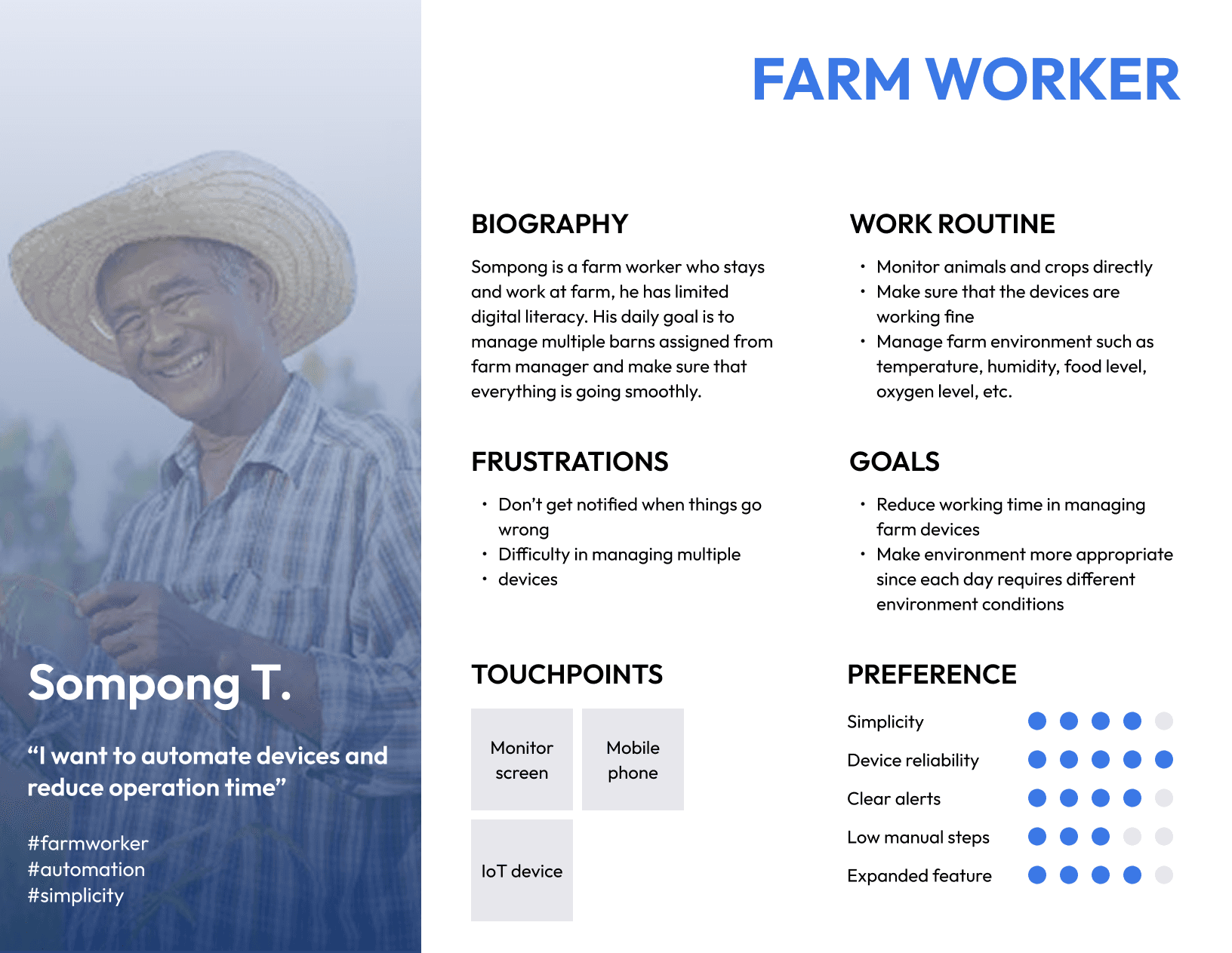
By engaging in discussions and brainstorming sessions with the stakeholders, I was able to identify user personas and gained a deeper understanding of each user’s behaviors, pain points, and unmet needs.
Prioritizing Features
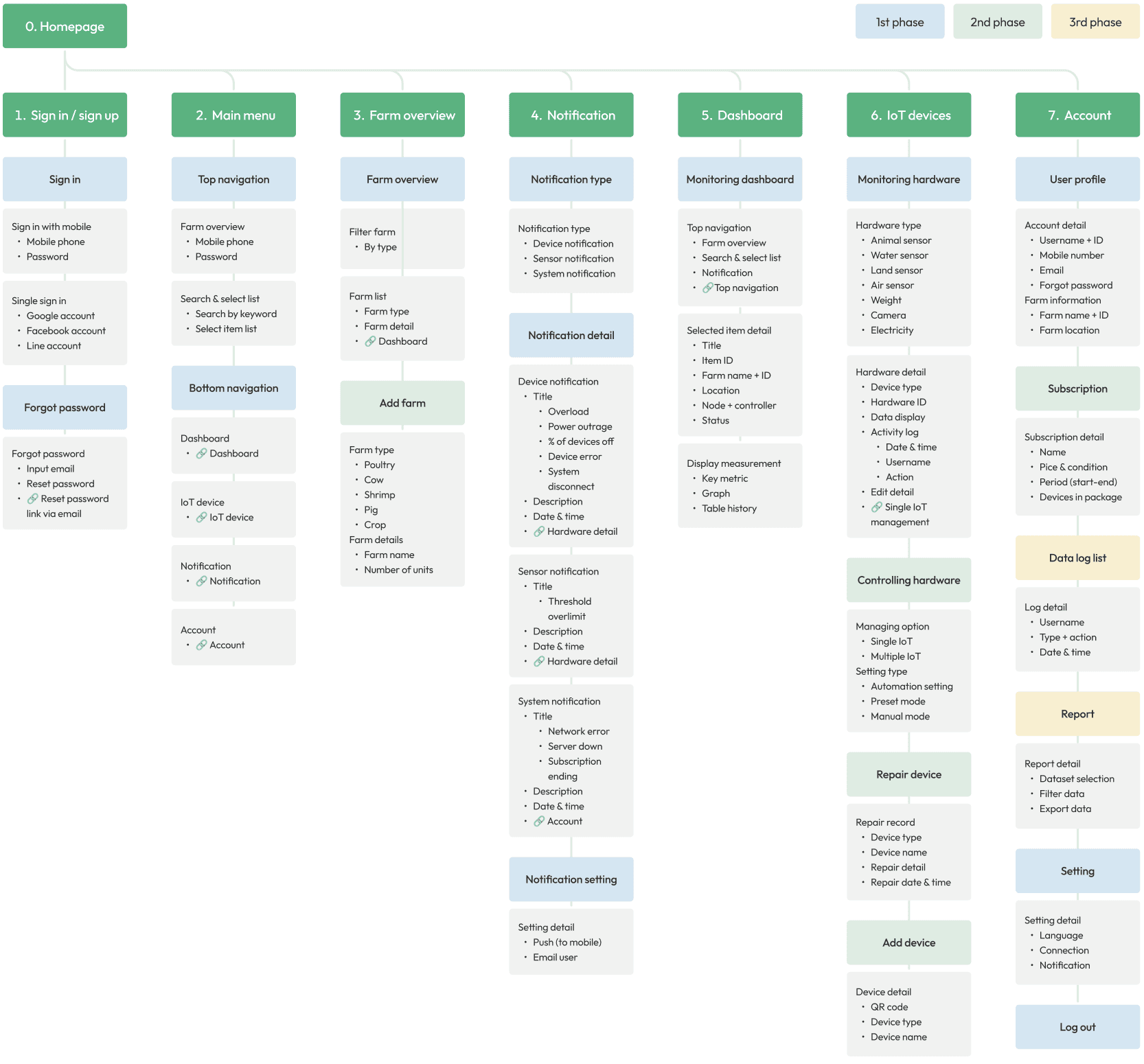
Since we had time constraint from the client, I had to prioritize main features for Minimum Viable Product (MVP).
Features prioritization ensured that my team and I focused on those features that meet the users' needs as well as business considerations and allow users to provide feedback for future development.
Concept Validation First
Before diving deeper, I validated design concepts to ensure that the initial design is user-centered and avoid incorrect assumptions. I conducted a user interview with 5 users from different personas.
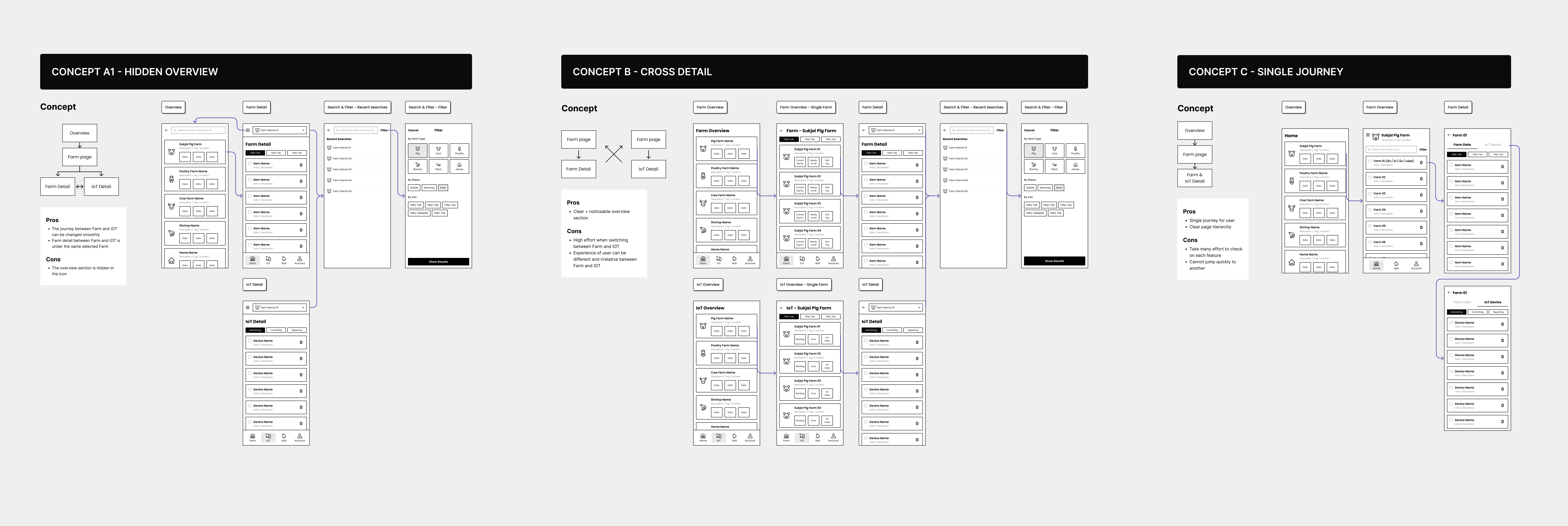
How Did User Testing Help?
By testing with real users early in the design process, I was able to identify potential issues, confusion points, and iterate designs to improve user experience based on their feedback.
01 Onboarding flow
Findings
It is important for users to have the shallowest learning curve, so they can start quickly by setting up their farms and devices easily
Solution
Increase emphasis on onboarding flows, providing step-by-step instructions for setting up a farm, with the option to skip if the users want to explore first
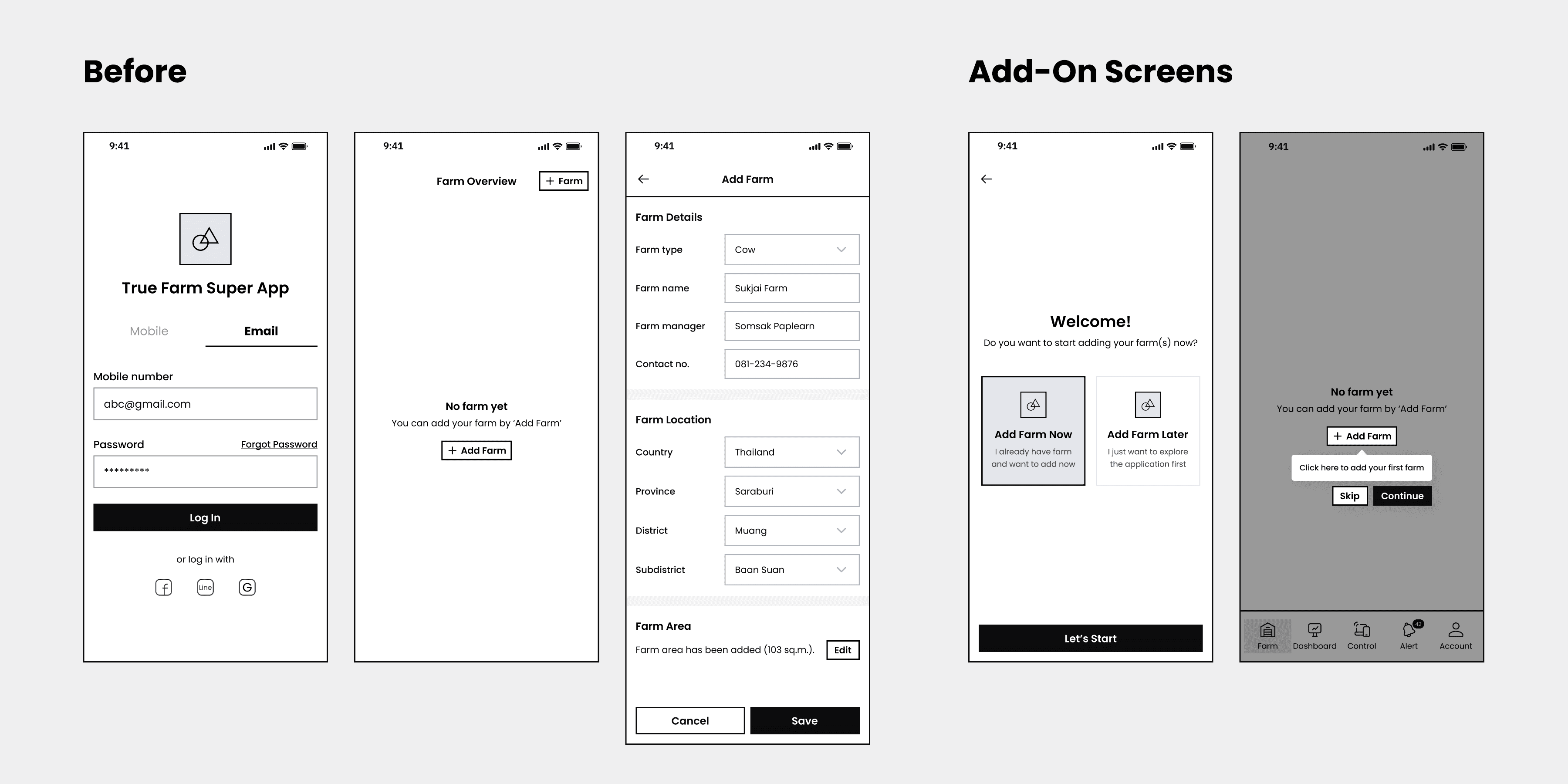
02 Farm switching
Findings
Users expected to switch farms from bottom navigation and be able to see farm summary at a glance
Solution
Make all farms accessible from the bottom menu, provide dashboard summary with key metrics

03 Notification & alert
Findings
Notification plays an important role in monitoring farms, there are different types of alerts which require different actions
Solution
Within a few clicks, users can filter notifications by farms, units, and devices, using icons and colors to distinguish urgency

Wireframing the Solution
After identifying the above problems and iterating the design, I mocked up wireframes that created intuitive navigation and logical user flows, and established a clear visual hierarchy and layout. In order to promote collaboration and reduce misunderstandings during the development phase, I also reviewed with clients.
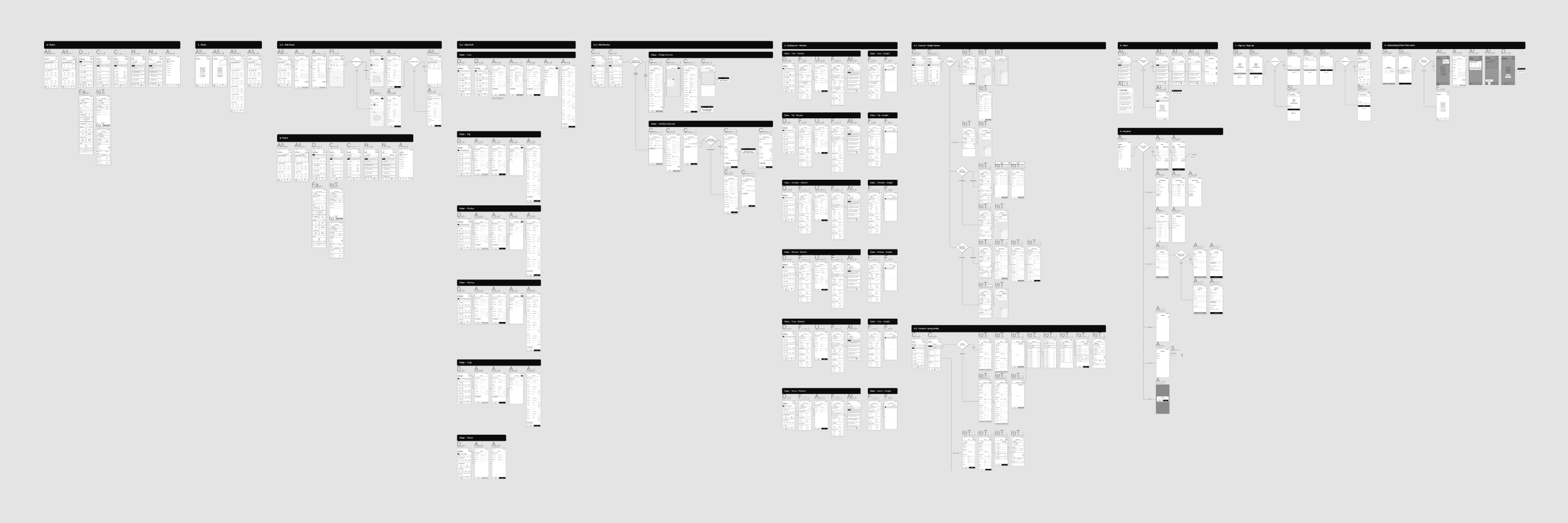
Final Design
Smooth journey
First-time onboarding
Guiding step-by-step through setup process from opening farm to set up device, users are allowed to skip at any stage

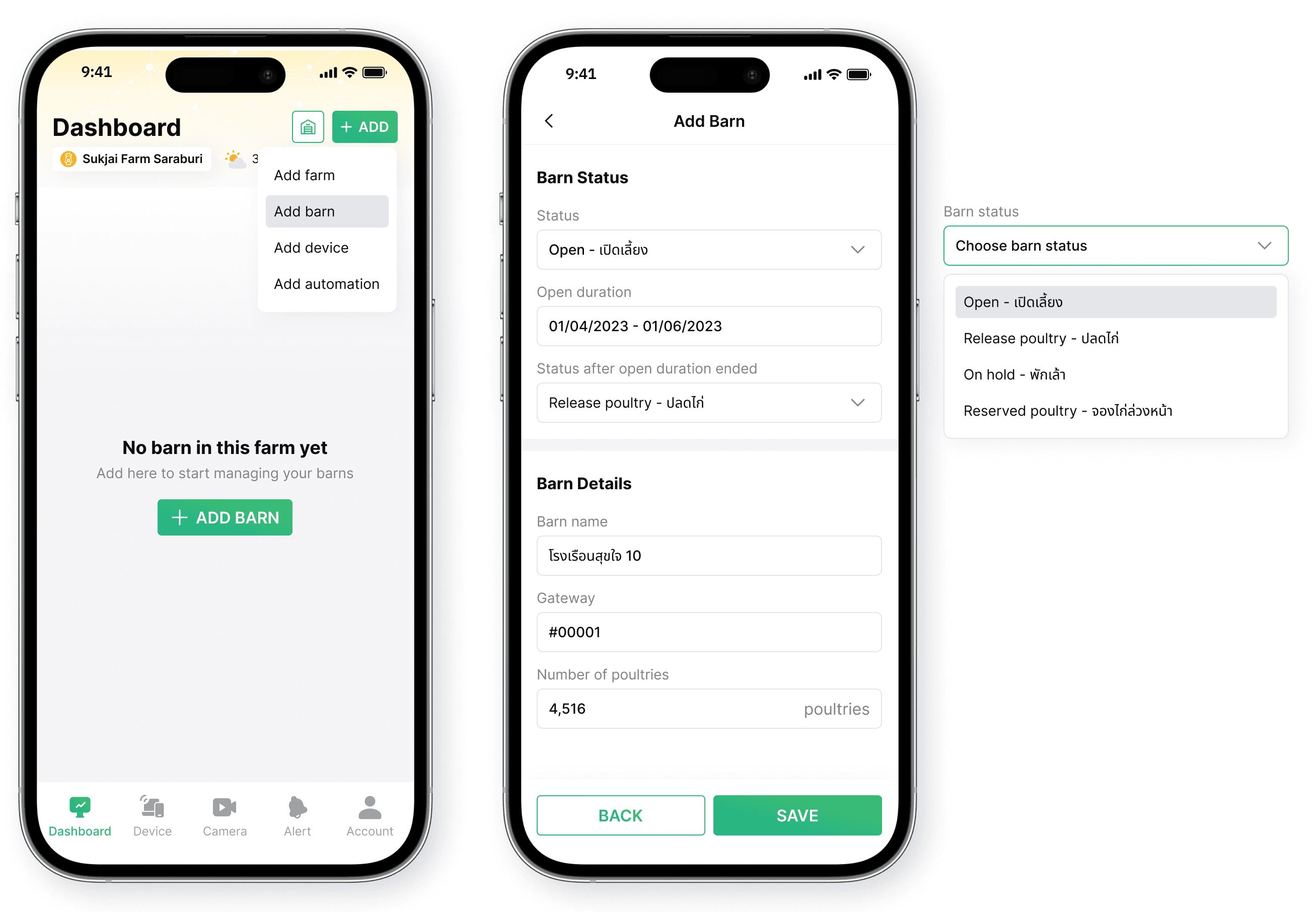
Shorten workload
Farm & unit adding
Pre-filled data with multiple adding options to minimize setup time
Real-time monitor
Farm & unit monitoring
Displaying real-time data, highlighting alerts and warnings for farm workers to take actions

Quick adjustment
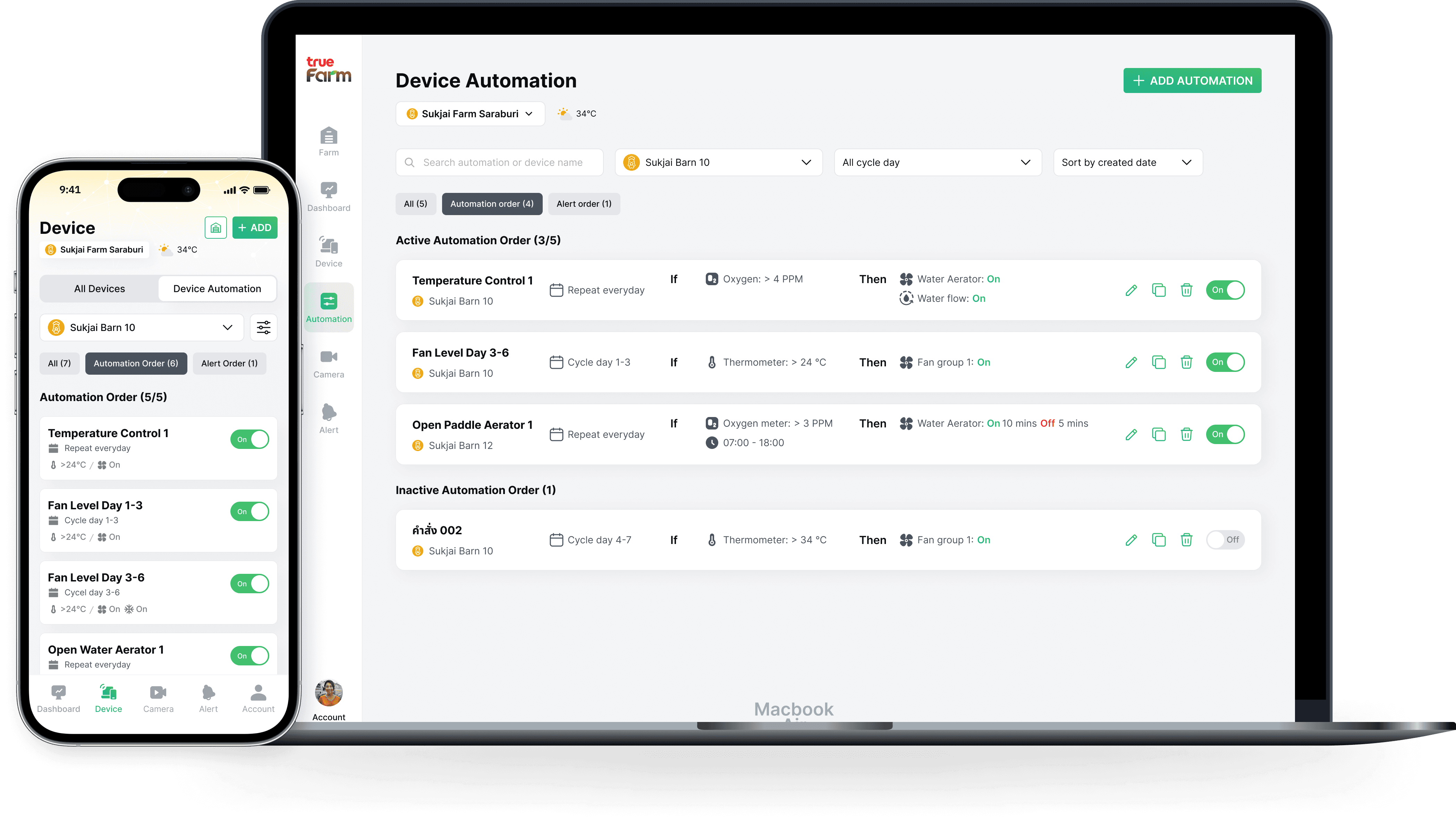
Device automation
Allowing device status adjustment within the same screen, reducing device management steps
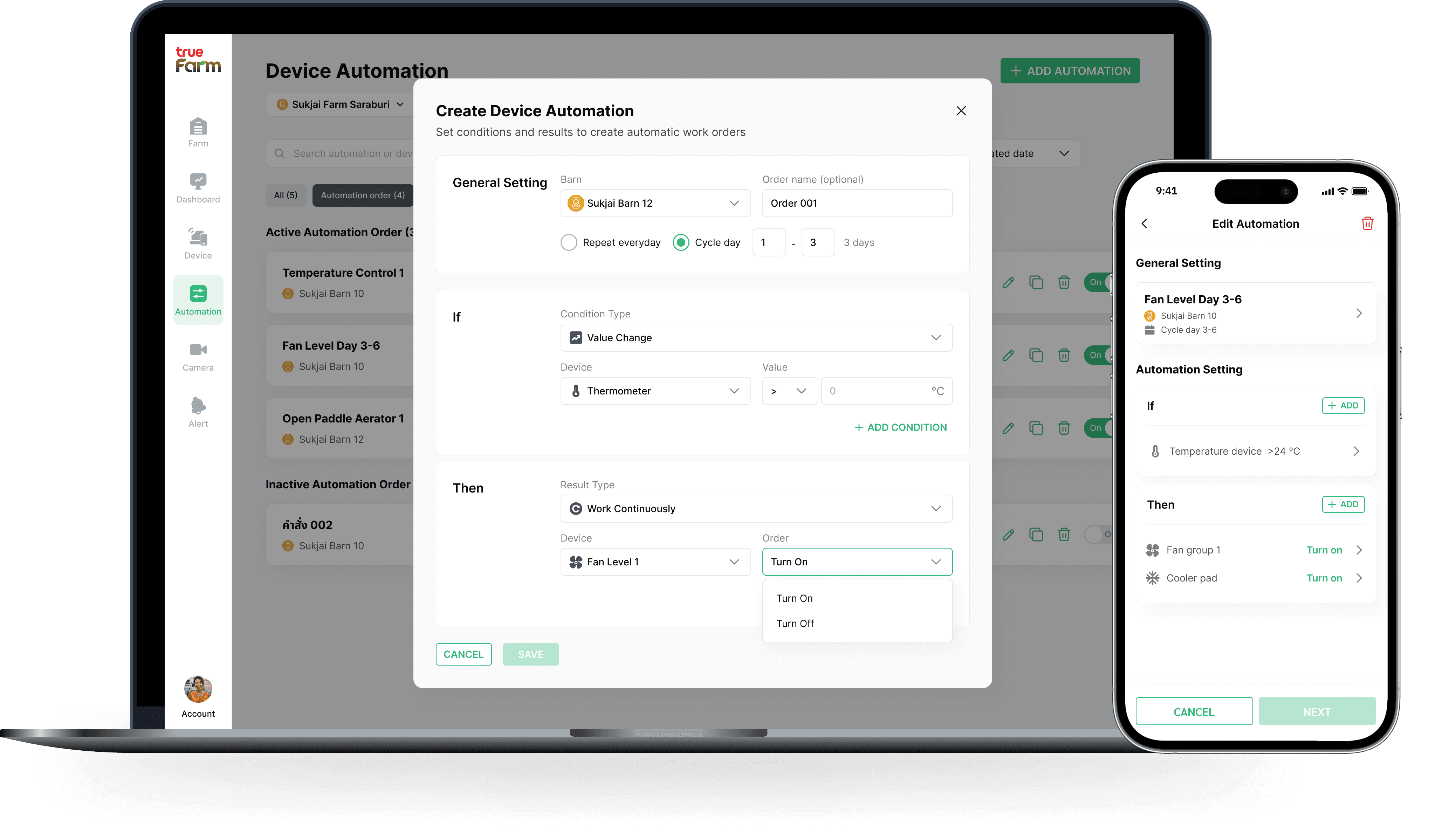
Quick adjustment
Automation set up
Allowing device status adjustment within the same screen, reducing device management steps
Sample scenarios

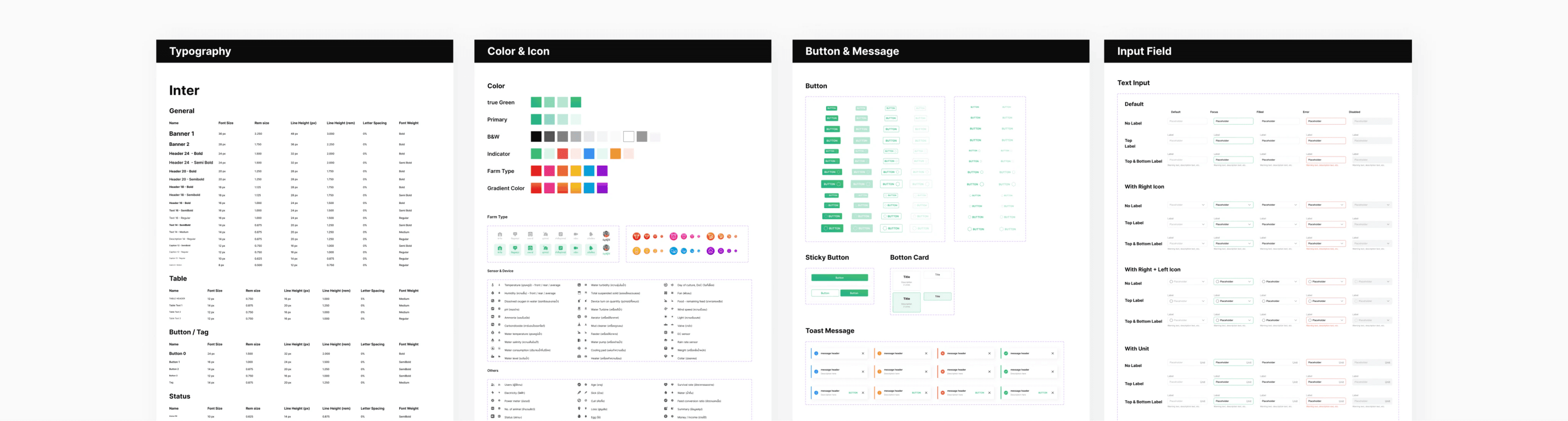
A Complete Design System
To make the design easy for developers to implement and scale in the future, I developed a design system to create design standards. The design system includes from design foundation such as color and typography to complex components like graph and widget variations.
What I learned
Define
UX process
Defining UX tools at the beginning helps streamline the workflow by clarifying when to use each tool and what deliverables to expect at every stage.
Simplify the complexity
Creating platforms for a wide range of users requires simplicity, so I focused on clear navigation and removing unnecessary elements for smooth use.
Co-creating with users guides the project’s direction, showing that success comes not just from a polished design but from an iterative process.